DCT Thumbnail
A thumbnail of an image that fits in a few dozen bytes, to show in its place while the image loads. It keeps the lowest frequencies of the image, the ones that say what it looks like from far away. GitHub
Make a thumbnail
Choose an image, or drop one in the page. Nothing is uploaded, it's all done here.
The thumbnail, as text:
And how to use it in a page:
In a page
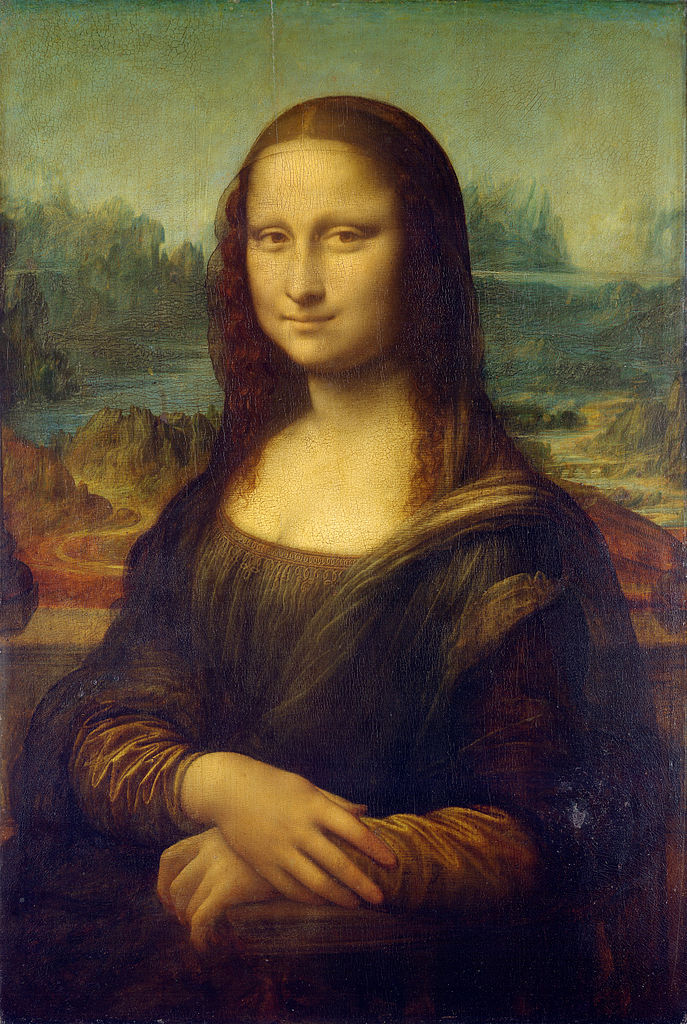
The image below is a plain <img> with its thumbnail in data-thumb. Here it waits two seconds before it starts to load, to give you time to see the thumbnail, and then it fades in.
Mona Lisa, 687 x 1024, 199 KB. Its thumbnail is 49 bytes.
How to use it
Install it with npm, or get the two files in src. They are plain ES modules with no dependencies.
npm i dct-thumbnail
1. Make the thumbnail of each image. Once, when the image is added to your site. Use the tool at the top of this page and copy the text, or do it from your own code:
import { encode, toBase64 } from 'dct-thumbnail';

const thumb = toBase64( encode( image ) );
image is an image, a canvas or a video. Where there's no page, like in Node, it's { data, width, height } with the RGBA pixels of the image.
2. Put it in the image, as data-thumb. Give the image its size, so the page keeps its place before it loads, and loading="lazy" to load it only when it's about to be seen:
<img src="mona-lisa.jpg" width="687" height="1024" loading="lazy"
  data-thumb="BFRGM4qFgXeAh3BzeqizlXd5fYiOh4KAf3qDhH+AgoSGg3x/gYOGhYaGgYqAf4WDgQ==">
3. Show the thumbnails, once the images are in the page. Every image with a data-thumb that hasn't loaded yet shows it until it does:
import { applyThumbnails } from 'dct-thumbnail/loader';

applyThumbnails();
To have the images fade in over their thumbnails, like the one above, pass how long it takes in milliseconds. Call it again when images are added to the page, the ones that were done are skipped.
applyThumbnails( document, { fade: 800 } );
Without scripts the images are just images, and they load as they always do. There's more in the README: thumbnails with more or less detail, decoding them yourself, and what the format is.