THREE.ConstantSpline.js
Evenly spaced points along a cubic Bézier curve, for three.js. Give it 4 control points and either a number of steps or a fixed step distance, and it returns a set of points that cover the curve at a constant rate.
Demos
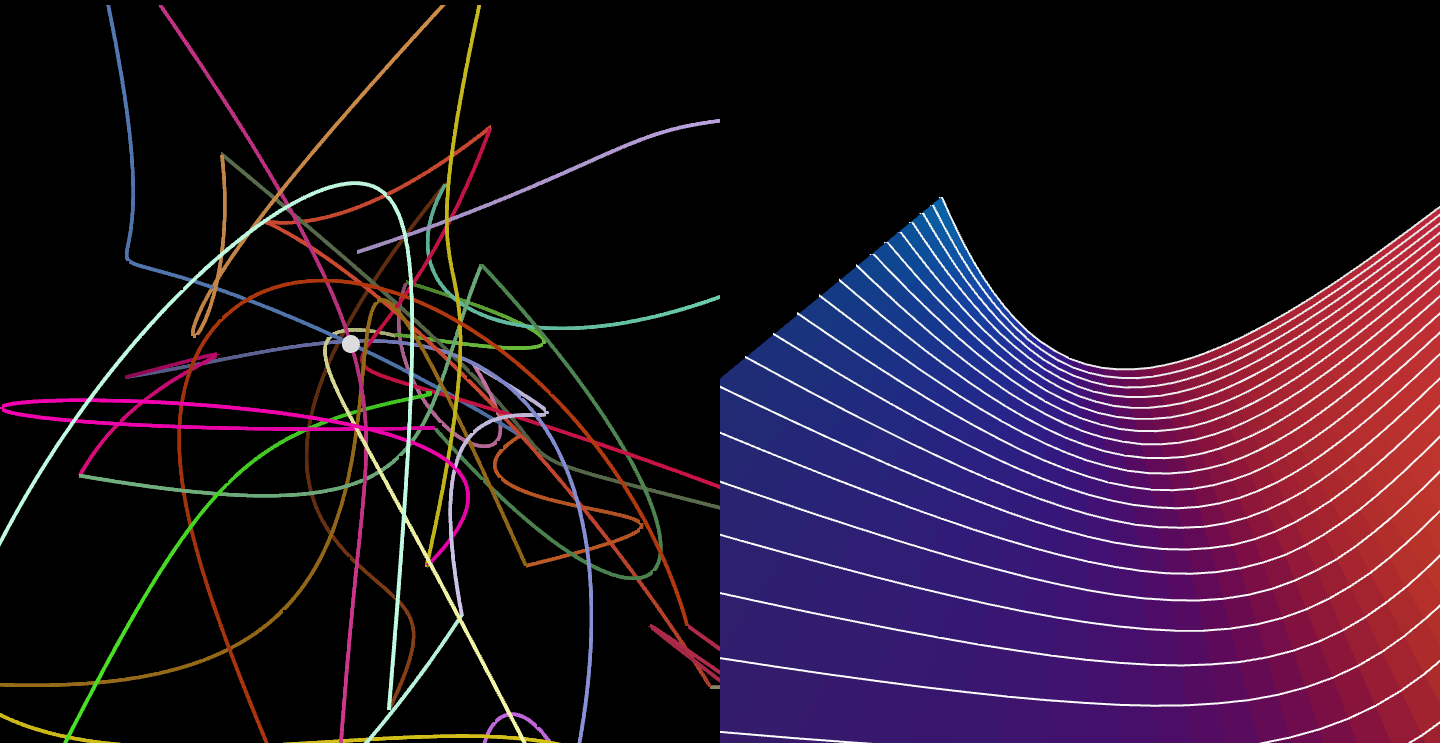
- Lines: curves drawn with points at a constant distance
- Surfaces: the same points used to build a surface
2026 update
Disclaimer: this library is from 2014, and three.js can already do most of what it does. Check three.js first
CubicBezierCurve3 has been part of three.js since r45 (2011), and getSpacedPoints() gives evenly spaced points on it, or on any other curve:
const curve = new THREE.CubicBezierCurve3( p0, p1, p2, p3 );
const points = curve.getSpacedPoints( 500 );
The one thing this library does that the built-in doesn’t is distancePerStep, which places points an exact straight-line distance apart.
The library has been rewritten for current three.js, so code written for the 2014 version needs changes. What changed:
- it’s an ES module that exports
ConstantSpline, and it needs three.js asthree. It used to add itself to a globalTHREE stepsreturns exactlysteps + 1points, evenly spaced along the curve- with
distancePerStep, every point is on the curve at exactly that distance from the one before, in a straight line. They used to drift off the curve, and the end could be there twice - the curve is sampled in exactly
1 / incpieces. Depending on the value ofinc, the end could be sampled twice reticulate()returns the points, samples the curve by itself ifcalculate()wasn’t called, and throws if it gets neitherstepsnordistancePerStep- the control points can be passed to the constructor
- the demos run on current three.js, the copy of r58 that they used is gone
How to use
It’s a single ES module, src/THREE.ConstantSpline.js, that needs three to resolve in your import map or bundler (see demos/lines.html):
import * as THREE from 'three';
import { ConstantSpline } from './THREE.ConstantSpline.js';
Create a ConstantSpline with its 4 control points, or assign them later as p0, p1, p2 and p3:
const s = new ConstantSpline(
  new THREE.Vector3( 0, 0, 0 ),
  new THREE.Vector3( 10, 30, 0 ),
  new THREE.Vector3( 20, - 30, 10 ),
  new THREE.Vector3( 30, 0, 0 )
);
Sample the curve. Do this again whenever the control points change:
s.calculate();
Then ask for the evenly spaced points, either by count or by distance:
// 501 points, evenly spaced along the curve
const points = s.reticulate( { steps: 500 } );

// or points exactly .1 apart, with a shorter last segment to reach the end
const points = s.reticulate( { distancePerStep: .1 } );
reticulate() returns the evenly separated points, which are also in s.lPoints. Use them to create a line, a mesh or a camera path:
const geometry = new THREE.BufferGeometry().setFromPoints( points );
const material = new THREE.LineBasicMaterial( { color: 0xffffff } );

const line = new THREE.Line( geometry, material );
scene.add( line );
Reference
p0,p1,p2,p3: the control points, asTHREE.Vector3. The curve starts atp0and ends atp3.inc: how finelycalculate()samples the curve. Defaults to.01, which splits the curve into 100 pieces; use a smaller value for long or tightly bent curves.calculate(): samples the curve from the control points. Call it again when they change.reticulate( settings ): fillslPoints, and returns it. Passstepsfor a fixed number of segments, ordistancePerStepfor a fixed distance between points.lPoints: the resulting points, as an array ofTHREE.Vector3.points: the samples of the curve thatcalculate()makes.d: the length of the curve, available afterreticulate().
License
MIT licensed
Copyright (C) 2014 Jaume Sanchez Elias https://twitter.com/thespite
https://www.clicktorelease.com